Not long ago, choosing a coding agent meant choosing just one. Today it is common to have Claude Code, Codex and OpenCode installed on the same machine, each with its own strengths, its own models and its own usage limit.
Using more than one agent in the same project can pay off, as long as you know how to split the work and do not leave each one with different instructions. This guide covers when it is worth it, how to organize things, and how to keep track of everything without getting lost between terminals.
Why use more than one agent
The most common reasons are practical:
- A second opinion. One agent implements and another reviews. Different models make different mistakes, and cross-review catches things that would slip through.
- Plan limits. When one runs out of usage in the middle of a task, the other can pick up where it left off.
- Each one’s strengths. You might prefer one agent for planning and another for long, mechanical tasks, or test which one does better on a given kind of problem.
- Parallel work. Two independent tasks, in different folders or branches, move forward at the same time.
How to split work between agents
The rule that prevents the most trouble is simple: two agents should not edit the same files at the same time. Beyond that, a few setups work well:
- Implement and review. One agent makes the change. When it is done, another reads the diff and flags problems before the commit.
- One task per folder. Each agent handles one part of the project, such as the front end and the API, without stepping on the other’s work.
- Investigate and execute. One agent researches the code and writes a plan. Another carries out the plan.
- Taking turns. When one hits its limit, it leaves a summary of what it did and what is left, and the next one continues from there.
In every case, what makes the handoff work is the summary. Ask the agent that is finishing to record the state of the task in a way another agent can understand without reading the whole conversation.
Keep the same instructions for everyone
Each agent reads the project instructions from a file. Claude Code reads CLAUDE.md, while Codex and other agents read AGENTS.md. If each file says something different, each agent will work differently.
The simplest approach is to write the rules in a single file and point the other one to it. In CLAUDE.md, for example, one line imports the contents of the other file:
@AGENTS.mdThat way, build commands, code conventions and project caveats live in one place, and any agent that enters the repository follows the same rules.
How to keep track of several agents without getting lost
With two or three agents running, each in its own terminal, it gets hard to know who is doing what, who stopped waiting for a permission, and how much each one has used.
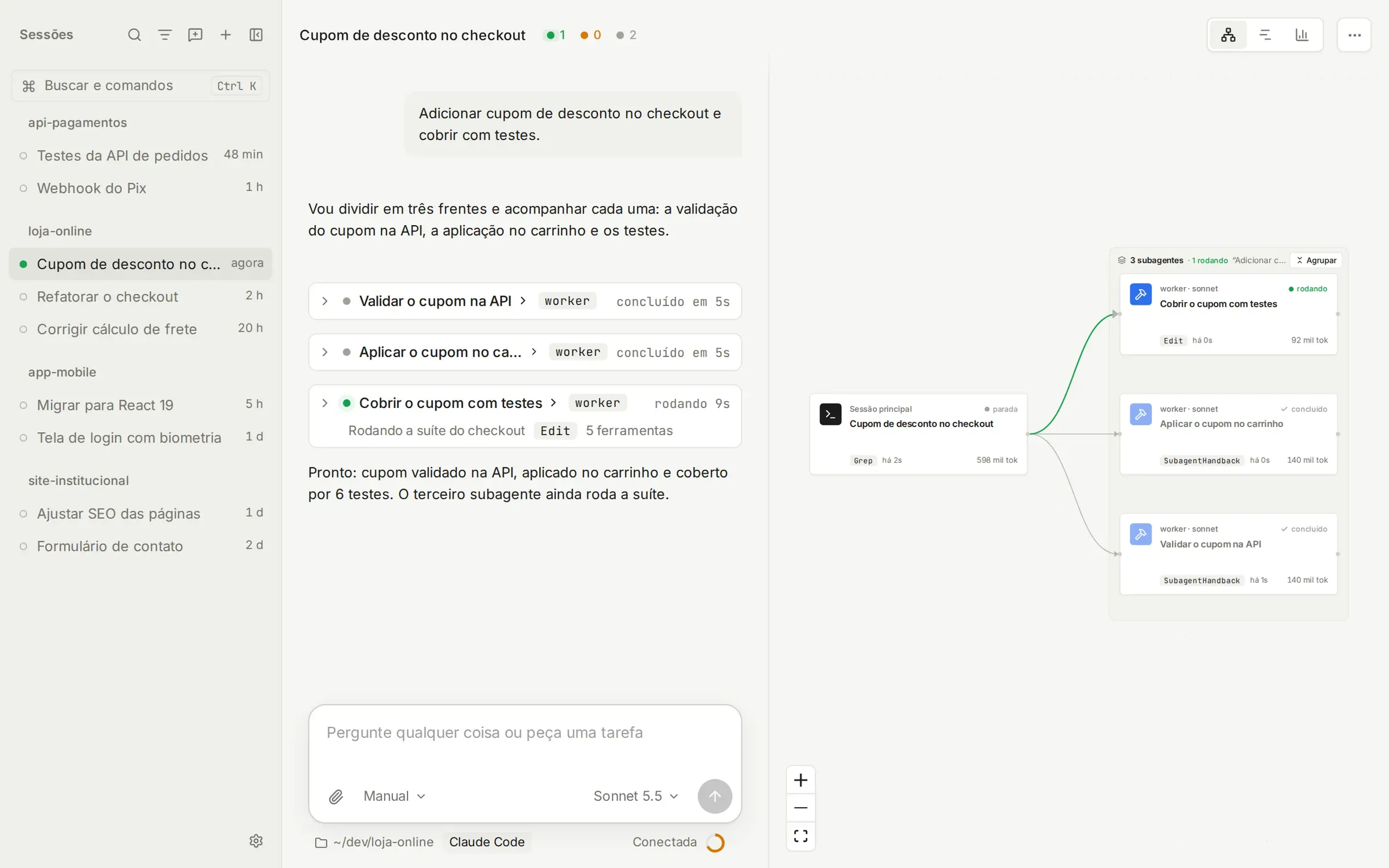
Ramo brings everything into a single window. It uses the Claude Code, Codex and OpenCode already installed on your machine, with each one’s login and settings, and in each new conversation you choose who answers. In practice:
- several conversations at once, each with its own agent, model and folder;
- one agent can hand a task to another: Claude asks Codex, the task shows up on the session graph, and the result comes back to the conversation;
- sessions opened in the terminal show up too, so you do not have to give up the way you already work;
- usage for all of them in one place, adding Codex and Google Antigravity usage to Claude Code’s.
Everything runs on your computer. Conversations go out through the agents themselves, just as they would from the terminal, and do not go through Ramo’s servers, except when you use Ramo from another computer and the direct connection between the two cannot be made: then they go through Ramo’s relay server, encrypted, and it cannot read them.
Best practices
- Make it clear who owns each task. One agent per task, and tasks that do not compete for the same files.
- Use separate branches or folders for parallel work.
- Review before merging. One agent’s diff read by another is a cheap and useful review.
- Ask for short, complete summaries whenever a task changes hands.
- Keep an eye on each one’s limit. Knowing which agent is close to its limit helps you decide who takes the next task. See how in Claude Code usage limits.
Want to use Claude Code, Codex and OpenCode in a single window? Ramo has a 7-day free trial, no credit card required: download it here.